1 · Make a project
What you will have done: created an organisation and a project inside it, given it the short name its cards are called by, put the people who work on it in, and filled a board with the first pieces of work.
Where a project comes from
A project is not made on the board. It is made on the org chart, because a project belongs to an organisation and the org chart is where an organisation lives. The Projects rail then lists every project you can see.
    flowchart LR
  A["Organization<br/>the org chart"] -->|"New child → project"| B["A project"]
  B -->|"Projects › Settings"| K["A reference key<br/>WM-1, WM-2, …"]
  B -->|"Settings › People"| C["The people on it,<br/>and what each may do"]
  B --> D["Projects rail<br/>board, list, epics, sprints, timeline, plans, reports"]
The walkthrough
1. Make the organisation
Open Organization in the left rail. If your company is not there yet, use Manage on the instance and pick New child…. Give it your company’s name.
An organisation is the wrapper. Nothing works on it directly, and everything hangs off it.
2. Make the project
Select the organisation, open Manage, choose New child… again. This time the dialog offers a kind: pick project, and name it after the piece of work, not the team. “Warehouse move” is a project. “Operations” is not.
A project is a leaf. Nothing goes inside it except work.
3. Open the board
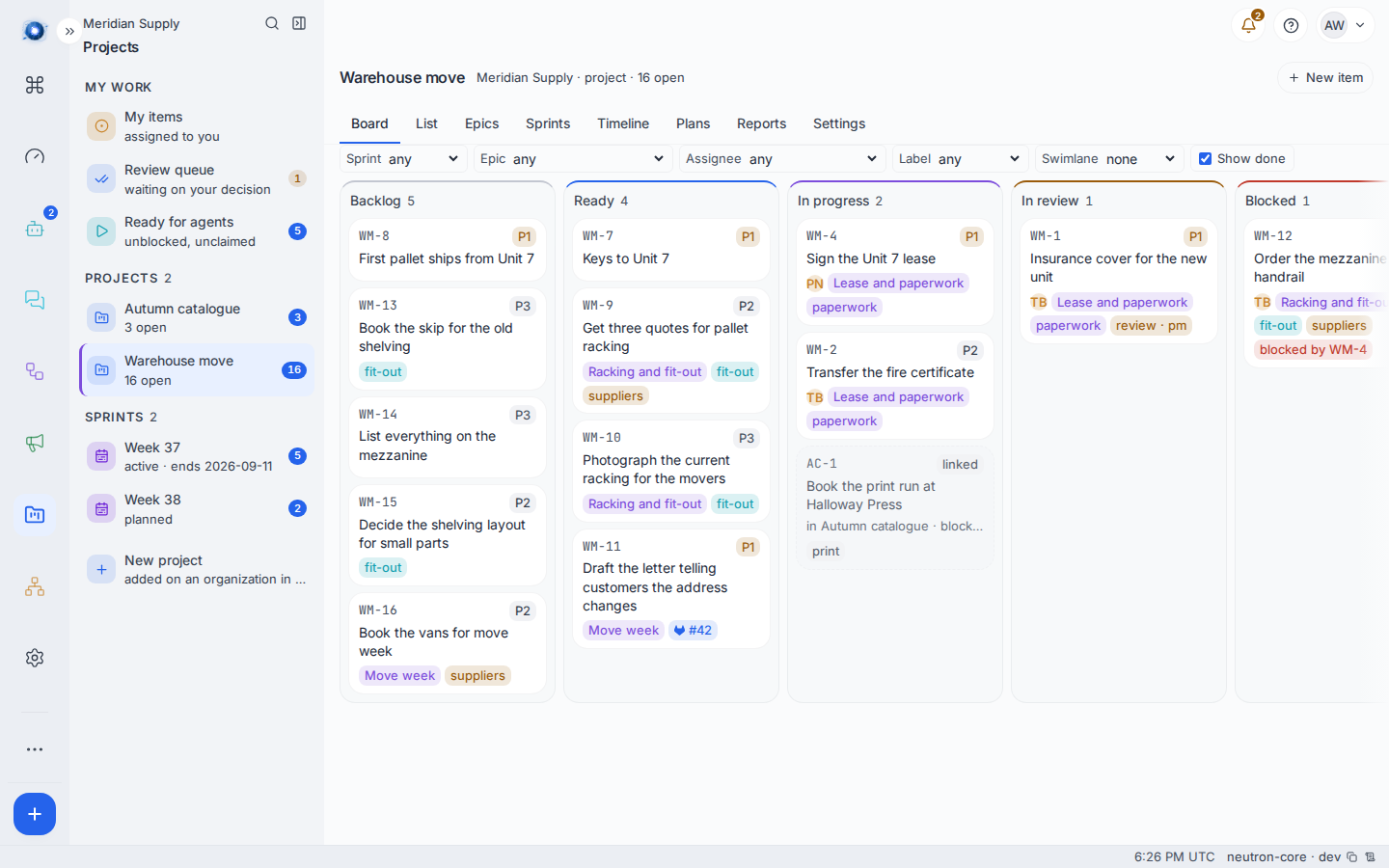
Click the Projects tile in the left rail. The middle column lists your own work first, then every project you can see, then the weeks that project has planned. Click the project.
You land on Board, one of eight screens along the top: Board, List, Epics, Sprints, Timeline, Plans, Reports and Settings.
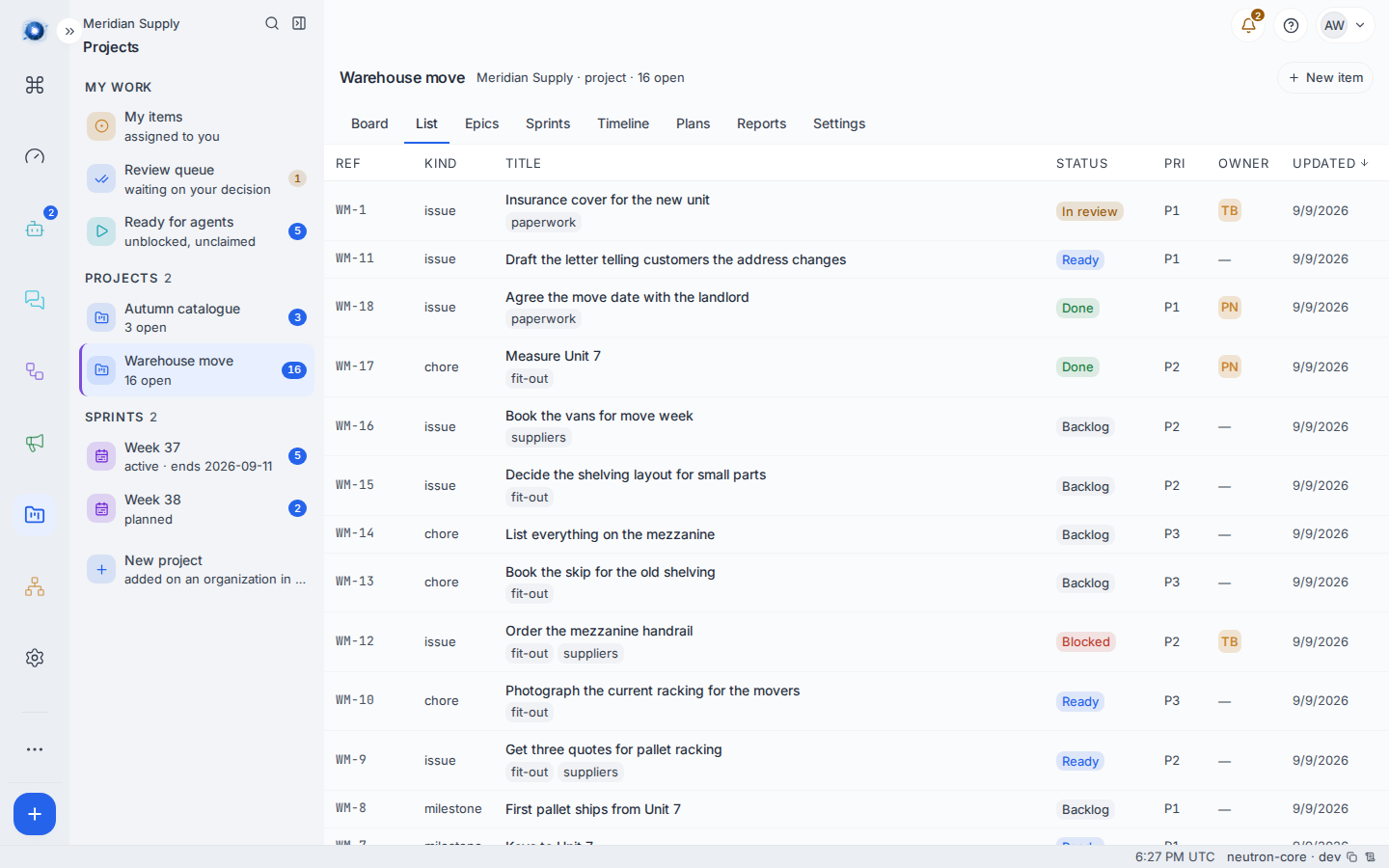
List is the same work as a sortable table, which is the faster screen when you want to find something rather than look at it.
4. Give it a reference key, and put people on it
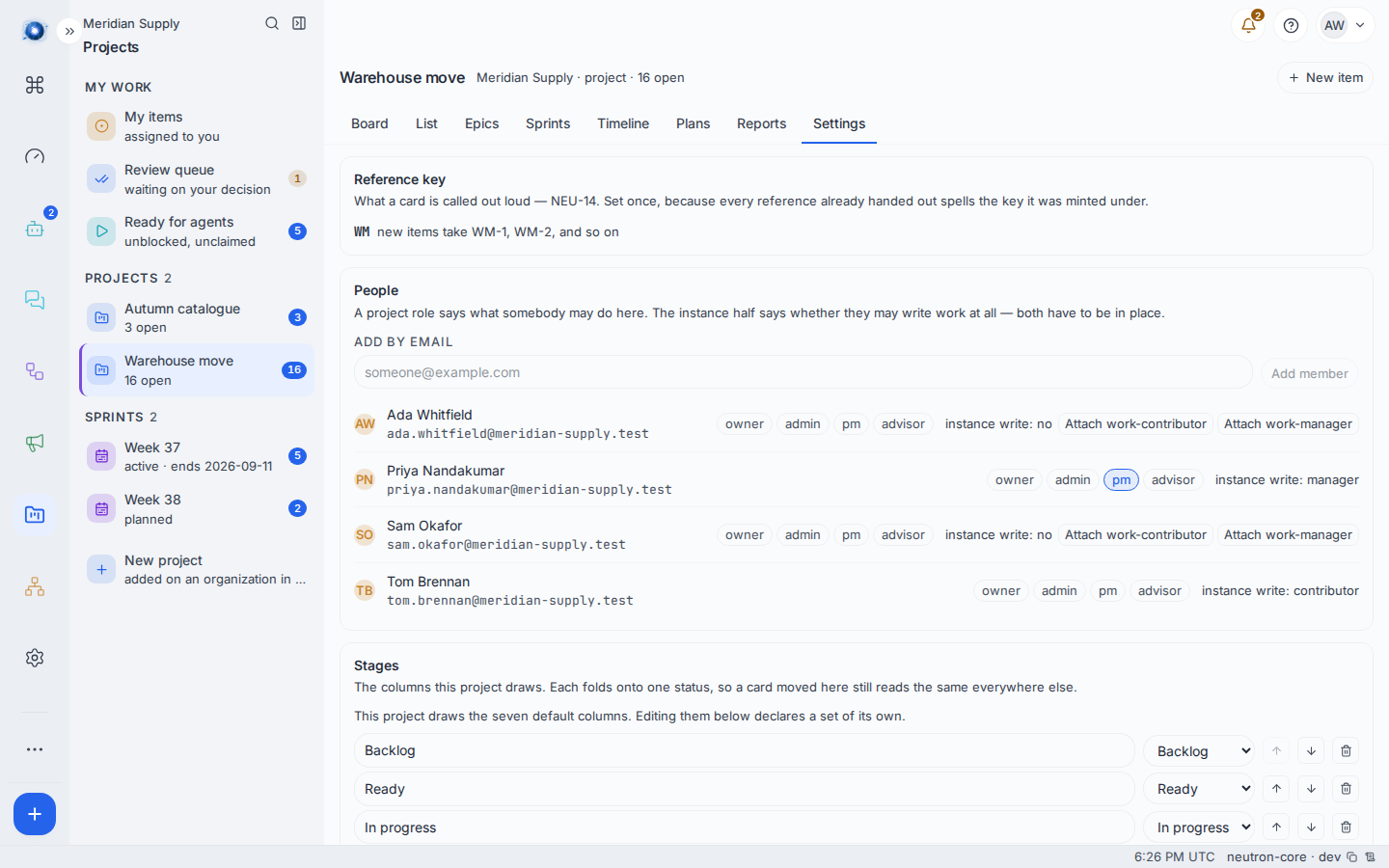
Open Settings. It has three sections and they are the whole of setting a project up.
Reference key is the short name a card is called out loud. Type two to six letters or digits and press Set key. Every card in the project is numbered from that moment, oldest first, and new ones take the next number. It is set once, because a reference somebody has already written in a message or a commit spells the key it was minted under.
People is who is on the project and what each of them may do. Add somebody by email and they can read the board. Then press a role beside their name to grant it, and press it again to take it away:
| Role | What it adds |
|---|---|
| owner | Everything on this project, including deciding a plan and setting the key. |
| admin | The same, short of owning it. |
| pm | Runs the project: sprints, columns, and deciding a review. |
| advisor | Reads and comments. The role for somebody outside the company. |
Beside the roles is the half that is easy to forget. instance write says whether that person may write work anywhere at all, which is a separate permission from any project role. Somebody with a role and without it finds every button refused. When it reads no, an instance administrator can close the gap from the same row with Attach work-contributor or Attach work-manager; the manager version adds sprints and columns.
Stages draws the columns this project’s board will have. A project starts on the seven default ones; editing them declares a set of its own, and each column you write folds onto one of the seven statuses so the rest of Neutron still knows what it means.
Membership is the wall. Somebody who is not on a project cannot read its board, and somebody who is can read it whether or not anything is assigned to them. That is how an outside advisor gets one project and nothing else. An agent is added the same way, on the org chart under Manage → Add agent…
5. Add the first work
New item at the top right. Give it a title in plain words, choose what kind of thing it is, and save. It lands in Backlog.
The kinds are the same five everywhere:
| Kind | What it is for |
|---|---|
| Issue | An ordinary piece of work. The default. |
| Bug | Something that is broken. |
| Chore | Work that has to happen and nobody will thank you for. |
| Epic | A piece of work big enough that other items hang under it. |
| Milestone | A date, not a task. It must carry a due date, and nothing hangs under it. |
6. Group it
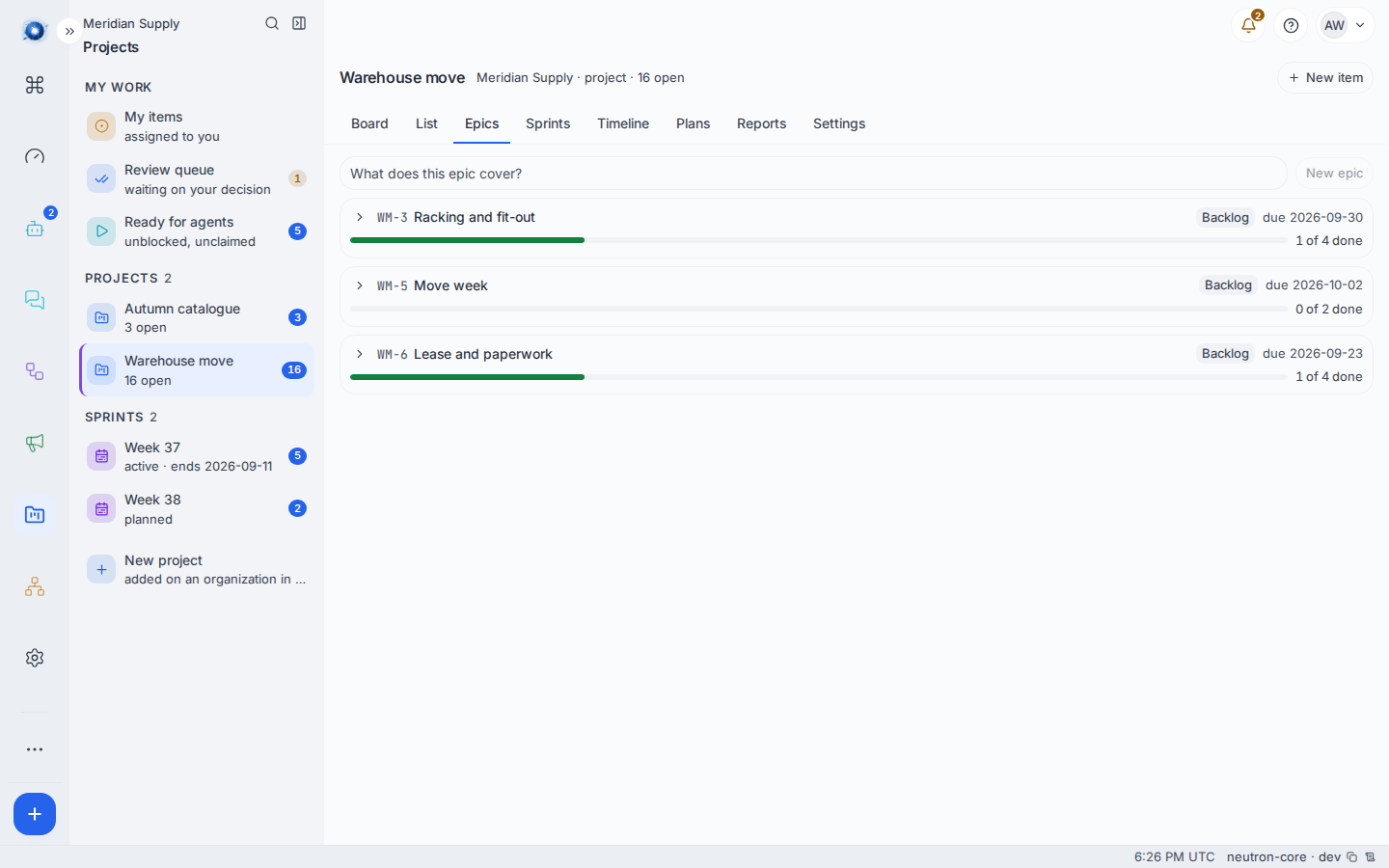
Open Epics, name an epic in the box at the top, and press New epic. Then open an item and set its Epic field. The epic’s row shows how much of it is finished.
A worked example
Meridian Supply is moving out of a warehouse they have outgrown.
- Ada makes the organisation Meridian Supply, then the project Warehouse move under it.
- She adds Priya and Tom as members, and an agent called Rowan.
- She adds eighteen items over an afternoon: the lease, the insurance, the racking quotes, the vans.
- She groups them into three epics: Lease and paperwork, Racking and fit-out, Move week.
- A second project, Autumn catalogue, gets its own board and a different set of people.
That is the whole setup. Nobody has been asked to learn anything.
What can go wrong
| What you see | What it means, and what to do |
|---|---|
| No project yet. A project groups work and gives a board its columns. | The rail can see no project. Either none exists, or you are not a member of any. Make one on the org chart, or ask to be added. |
| a project cannot have child groups | You tried to make something inside a project. A project is the bottom of the tree; put the work in it instead. |
The board is there but every card shows something like A7937601 | The project has no reference key yet. Set one under Settings › Reference key and every card is numbered. |
| A key starts with a letter and runs two to six capitals or digits. | The key is too short, too long, or has a character it cannot take. |
| Another project already answers to that key | Two projects on one instance cannot share a key. Pick another. |
| This project’s items already carry references — its key is fixed now | The key is set once, and this project has one. Its cards keep the name they were given. |
| instance write: no beside somebody who cannot do anything | They hold a project role and not the instance-wide permission to write work. An instance administrator attaches work-contributor or work-manager from that row. |
| This board could not be read. | The project is gone, or your membership of it is. Reload; if it persists, ask whoever administers the instance. |
Confirm it worked: the project appears in the middle column with a count beside it, clicking it draws a board with your items in Backlog, and every card carries a short name built from the key you set.