2 · Move a card
What you will have done: moved a card across the board with the mouse and with the keyboard, seen a move the board would not take, and found out who moved something and when.
The columns are fixed, and that is the point
Every board runs on the same seven states. A project can name its own columns and draw as many as it likes, on Settings › Stages, but each one folds onto one of these seven: they are what an agent reads, what a merged change writes, and what a report counts.
    flowchart LR
  BL[Backlog] --> RD[Ready]
  RD --> IP[In progress]
  IP --> IR[In review]
  IR --> DN[Done]
  IP --> DN
  RD --> BLK[Blocked]
  IP --> BLK
  BLK --> IP
  DN -->|reopen| RD
  BL --> CX[Cancelled]
  CX -->|reopen| BL
Not every arrow exists in both directions, and the board knows which ones do. Backlog goes to Ready and nowhere else. Done goes back to Ready, not to In progress. In review is left only by a decision, which is journey 4.
The walkthrough
1. Drag it
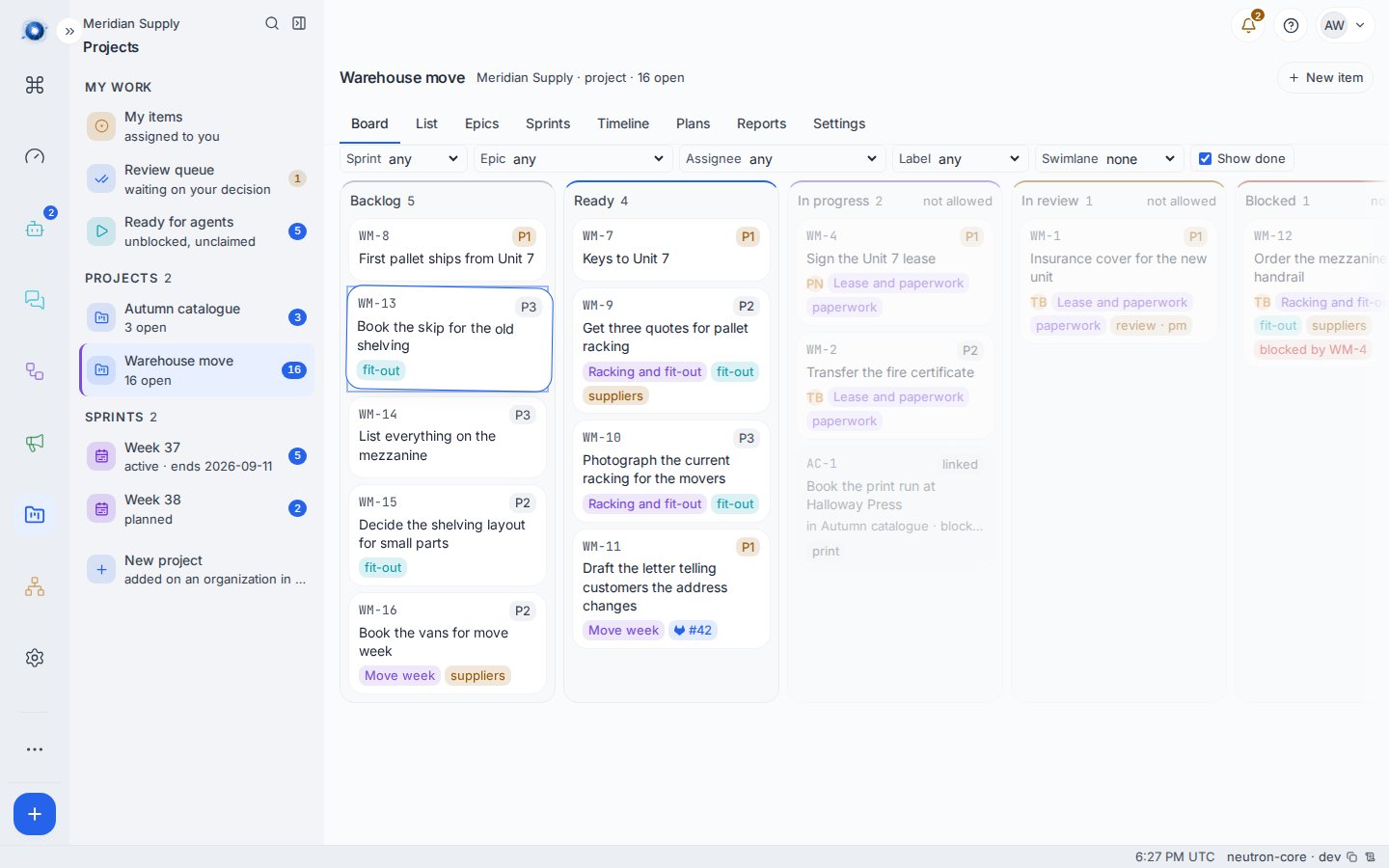
Press on a card, move six pixels, and it lifts. The card follows the pointer, its neighbours slide out of the way, and the column under it lights up. Let go and it lands.
On a touch screen the same gesture works after a short press, so a scroll is still a scroll.
2. Watch the columns that will not take it
While a card is in the air, every column that cannot accept it dims and says not allowed. This is not a warning after the fact. The drop is simply not available there, so a card aimed at a column that refuses it goes back where it came from rather than landing somewhere nobody aimed at.
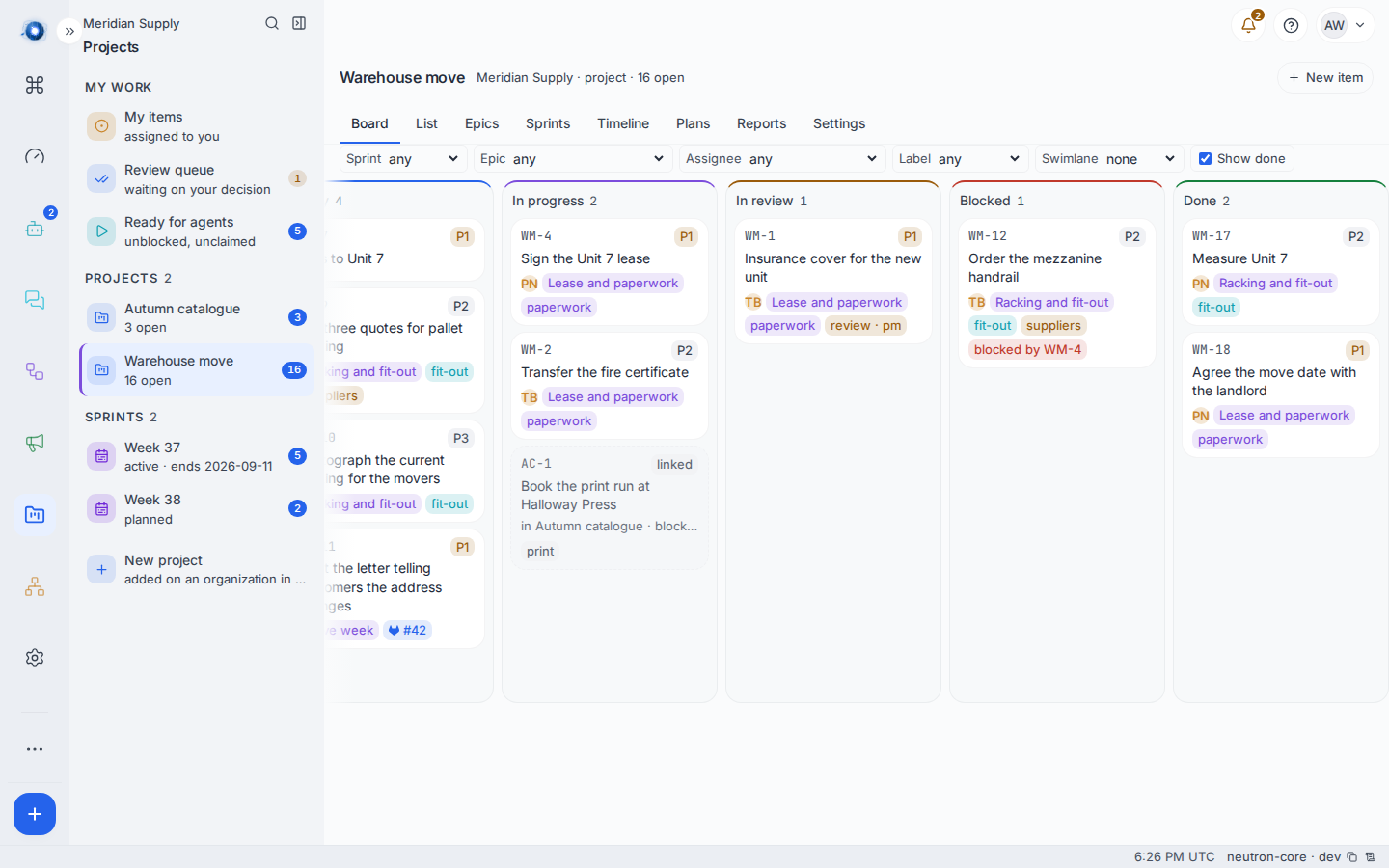
The board scrolls sideways when the columns do not fit. The far end is where finished and stuck work lives.
3. Move it from the keyboard
Tab to a card and press Space. The card is now in your hand. Arrow keys move it between columns and up and down inside one. Space or Enter drops it. Escape puts it back.
Enter on a card you have not picked up opens it instead. That is deliberate: reading a card and moving a card are two different jobs.
4. See who moved it
Click a card. The panel that opens on the right is the item. Scroll to the bottom for History: one line per revision, each naming the person or agent who made it and when.
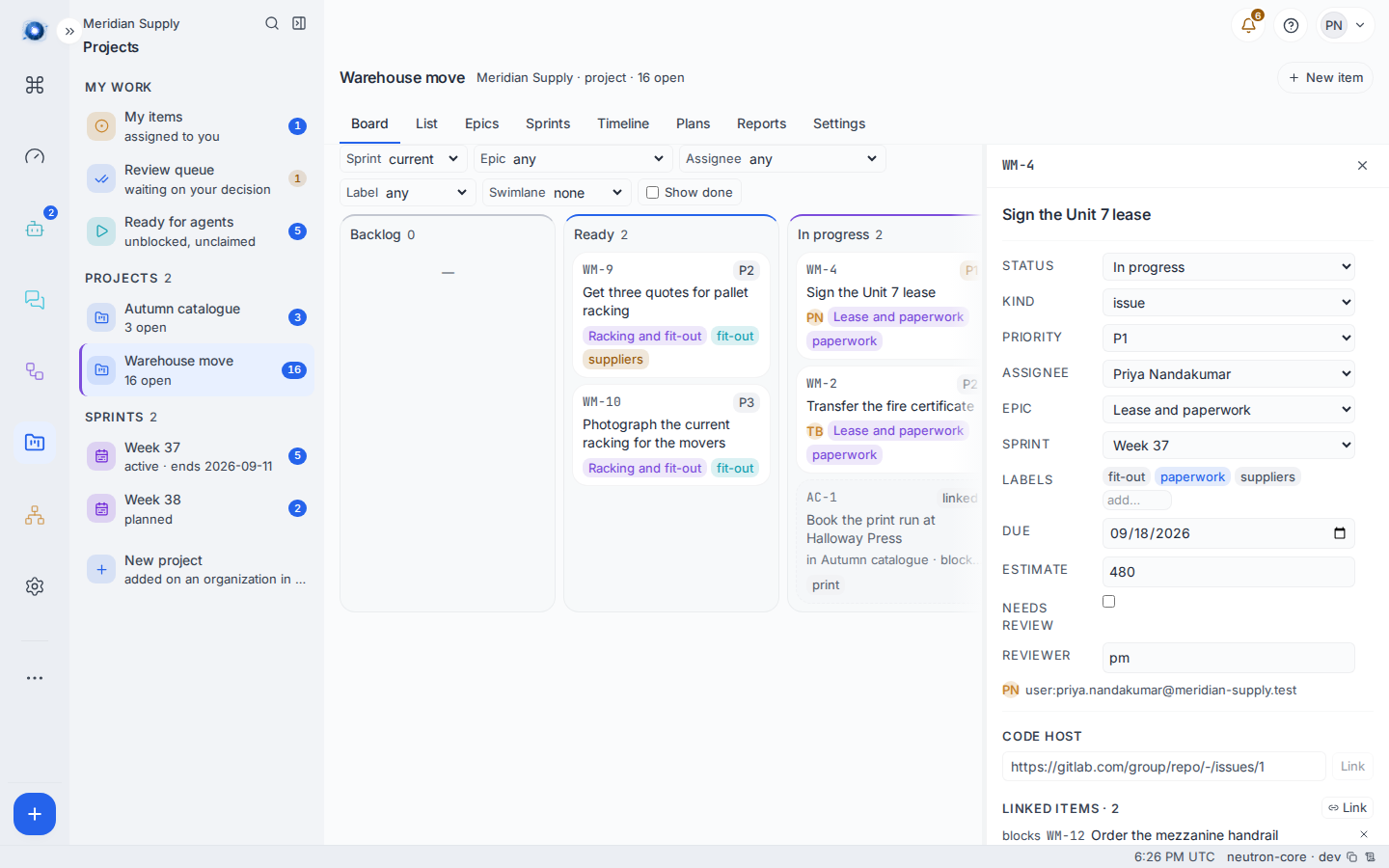
Every field in that panel writes on its own, carrying the revision the panel was drawn from. If somebody else changed the item while you had it open, your change is refused rather than quietly overwriting theirs, and the panel says This item changed elsewhere. The drawer has been reloaded.
5. Know that everybody else already saw it
You do not have to tell anybody. A move reaches every other open board within about a second. Nobody reloads anything.
If the card names an issue on a code host, that issue is told too. Moving a card into In progress, In review or Done writes neutron:in_progress, neutron:in_review or neutron:done onto the issue, replacing whatever the last one said. See journey 8.
A worked example
Tom has finished getting the fire certificate transferred.
- He drags WM-2 Transfer the fire certificate from In progress to Done. It lands.
- He tries to drag WM-13 Book the skip straight from Backlog to In progress. Backlog only goes to Ready, so In progress dims while he is holding the card and the drop is not offered.
- He drags it to Ready instead, then to In progress. Two moves, both allowed.
- He tries to start WM-12 Order the mezzanine handrail and the board answers Blocked by WM-4. The handrail cannot be ordered until the lease is signed, which is a rule somebody wrote on the cards rather than a rule Tom has to remember.
What can go wrong
| The sentence on screen | What happened, and what to do |
|---|---|
| Cannot move from Backlog to In progress | The board does not have that arrow. Move it through Ready. |
| Blocked by WM-4 | Something this card is waiting on is not finished. Finish that first, or remove the link from the item’s Linked items. |
| Someone moved this first — reloaded | Two people moved the same card. The board has reloaded and shows the move that landed. Look, then move again if you still want to. |
| Two cards landed in the same place — reloaded | Two drops hit the same position at once. The board has reloaded. Drag again. |
| That column changed while you were dragging — reloaded | The card you dropped next to moved before your drop arrived. The board has reloaded. |
| Parked for review — a reviewer decides it now | Not a refusal. The card asks for review, so it stopped in In review and is waiting on somebody. See journey 4. |
| A reviewer has not decided this yet | The card is already parked. It cannot be moved on until the review is settled. |
| The board could not make that move | The server did not say why. Reload the board and try once more; if it repeats, tell whoever runs the instance. |
Confirm it worked: the card is in the new column after a reload, and the item’s History carries a new revision with your name on it.