5 · Mention somebody
What you will have done: written a comment that names a colleague, watched a number appear on their bell, and watched it clear when they read it.
Why a mention rather than a message
A comment on an item stays with the item. Six months later the reason a decision was taken is on the card that carries the decision, not in somebody’s chat history. A mention is how you make sure the right person reads it now, without moving the conversation somewhere else.
    flowchart LR
  A["You type @ in a comment"] --> B["Pick a name"]
  B --> C["The comment is posted<br/>with that person recorded on it"]
  C --> D["A number appears on their bell"]
  D -->|"they open the item"| E["The number clears"]
The walkthrough
1. Open the item and scroll to Comments
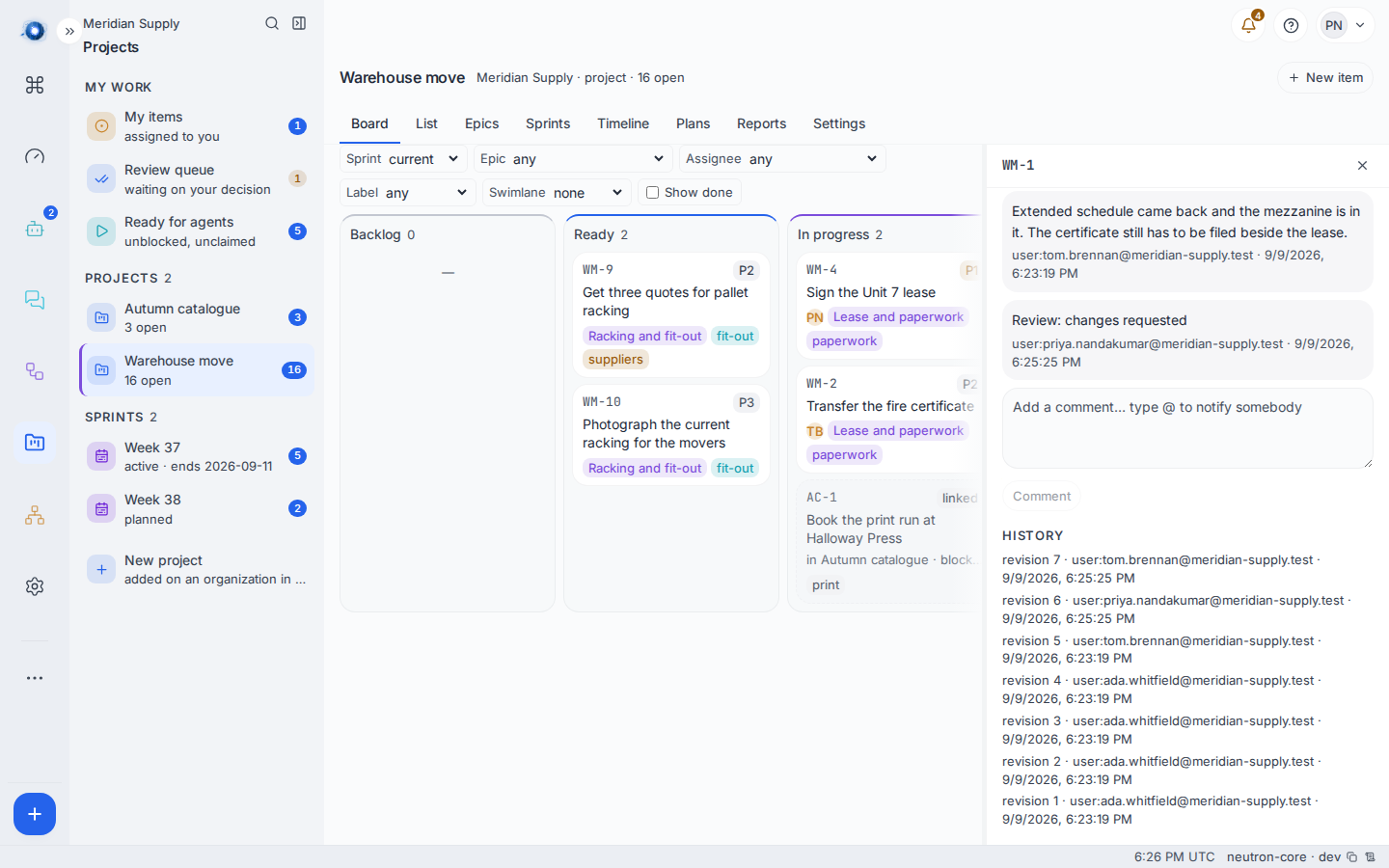
Every item has a comment box under the description and the acceptance list. It reads Add a comment… type @ to notify somebody.
2. Type @
A short list appears of everybody who is on this project: people, and any agents that have been added to it. Keep typing to narrow it, and pick one. Their display name goes into your text.
You can only mention somebody on this project. That is the same wall as everything else here: a person who cannot read the item cannot be told about it either.
3. Post it
The name shows in the posted comment as a chip, so it is obvious at a glance who was addressed.
4. They hear it once
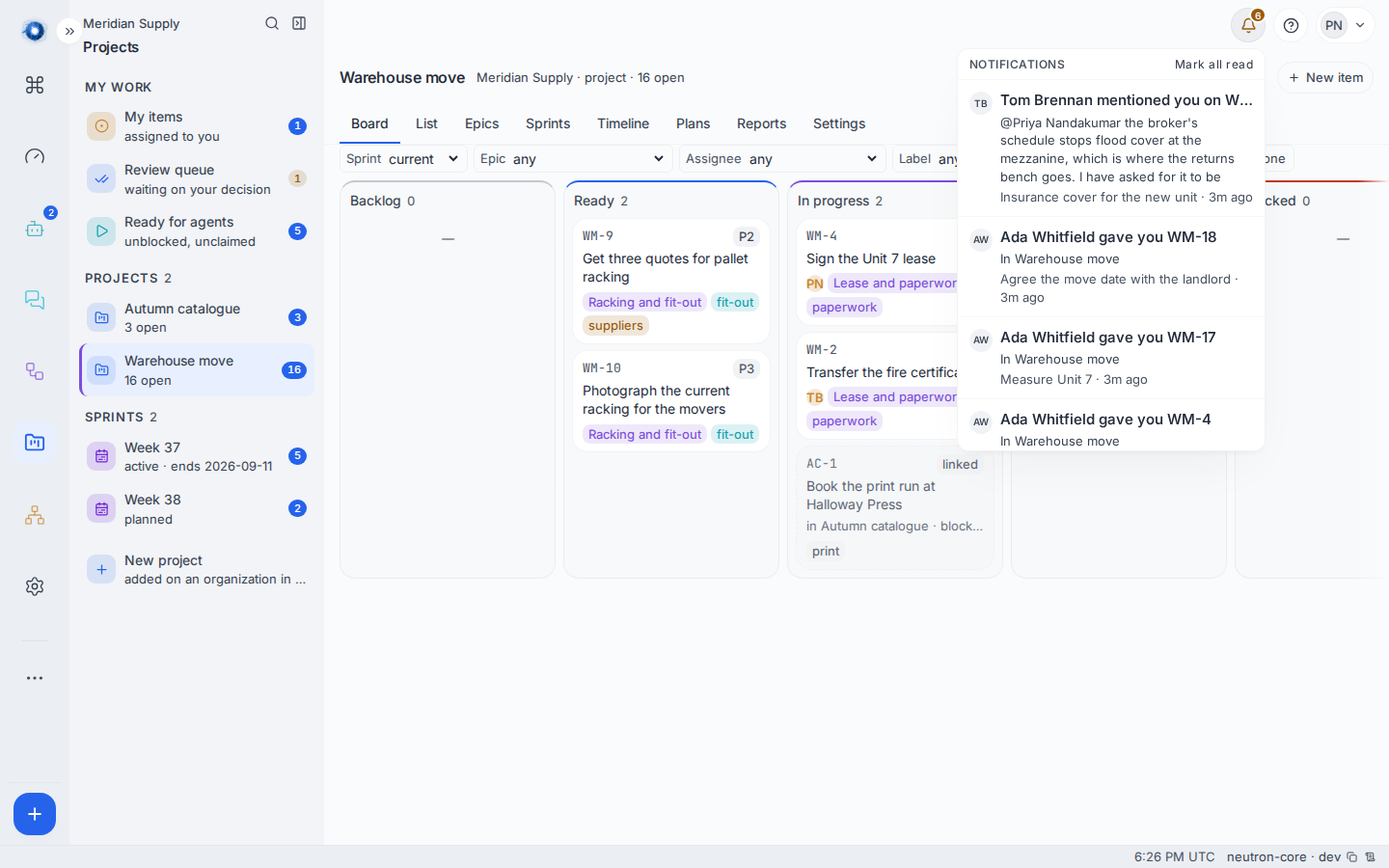
A number appears on their bell within about a second. Opening the bell lists what raised it:
| What the row says | What raised it |
|---|---|
| … mentioned you on WM-7 | Somebody named you in a comment. |
| … gave you WM-18 | Somebody made you the assignee. The line under it names the project it is in. |
| … decided your review on WM-7 | A review you asked for has been approved or sent back. |
| … signed off your plan | A plan you wrote has been signed off. |
The bell also carries anything waiting on your decision, so it is one number and one place to look rather than two.
5. It clears when they read it
Opening the item marks every notification about that item as read, and the number drops. Nobody presses anything. Mark all read at the top of the panel clears the lot if somebody has been away.
A worked example
- Tom is looking at the insurance schedule and something is wrong with it. He comments on WM-1: @Priya Nandakumar the broker’s schedule stops flood cover at the mezzanine, which is where the returns bench goes. I have asked for it to be extended.
- Priya’s bell goes up by one. The row reads Tom Brennan mentioned you on WM-1, with the first line of what he wrote under it.
- She clicks the row. The item opens, she reads the thread, and her bell goes back to 2.
- Nobody sent an email, and the reason is on the card.
What can go wrong
| What you see | What it means, and what to do |
|---|---|
The @ list is empty or very short | Only people and agents on this project are offered. Add the person to the project on the org chart first. |
| You typed a name by hand and nobody was notified | A mention is recorded when you pick somebody from the list. Text that merely looks like a name is text. Delete it and type @ again. |
| Could not add the comment. | The comment did not save. Check the connection; your text is still in the box. |
| A mention you were sent is not in the bell | Notifications about a project you can no longer read are held back. If you were removed from a project, its notifications stop being shown. |
| You mentioned an agent and nothing happened | An agent’s name can be recorded on a comment, and the agent is not woken by it. Mentioning an agent does not start it working. Give it work through journey 9 instead. |
| The number on the bell will not go down | Open the bell and press Mark all read. It clears everything of yours, including rows for projects that are no longer shown. |
Confirm it worked: the person you named sees a number on their bell, the row names you and the item, and the number drops when they open it.